
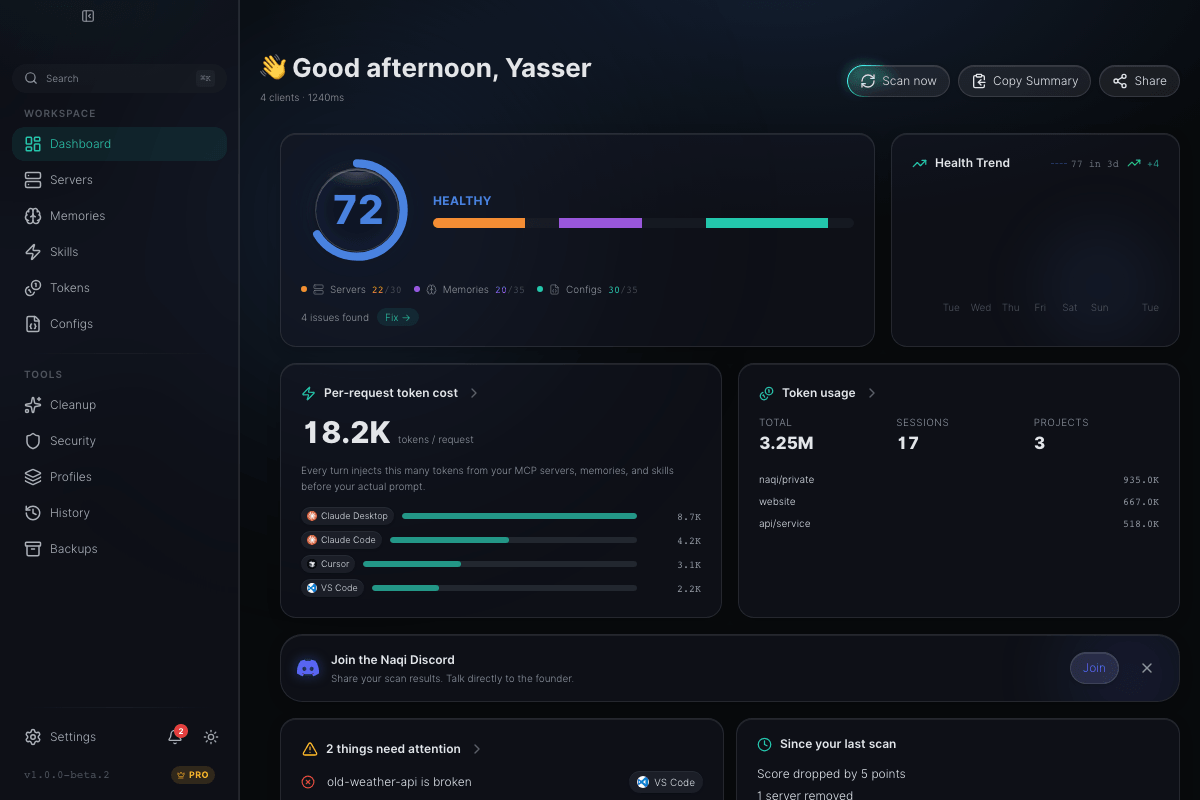



Your Claude Code bill is telling you something. You just can't read it.
A single "dive deep" opener turns into 40 turns.
A log paste costs $2 you didn't budget.
A subagent swarm burns 300M tokens you'll see next month.
A skill auto-loads on every turn, silently.
Anthropic's dashboard shows you that you spent money. It doesn't show you why. You just see the number at the end of the month, and you can't trace it back to the session that caused it. There's no "what just happened" button for your Claude Code spend. Until now.
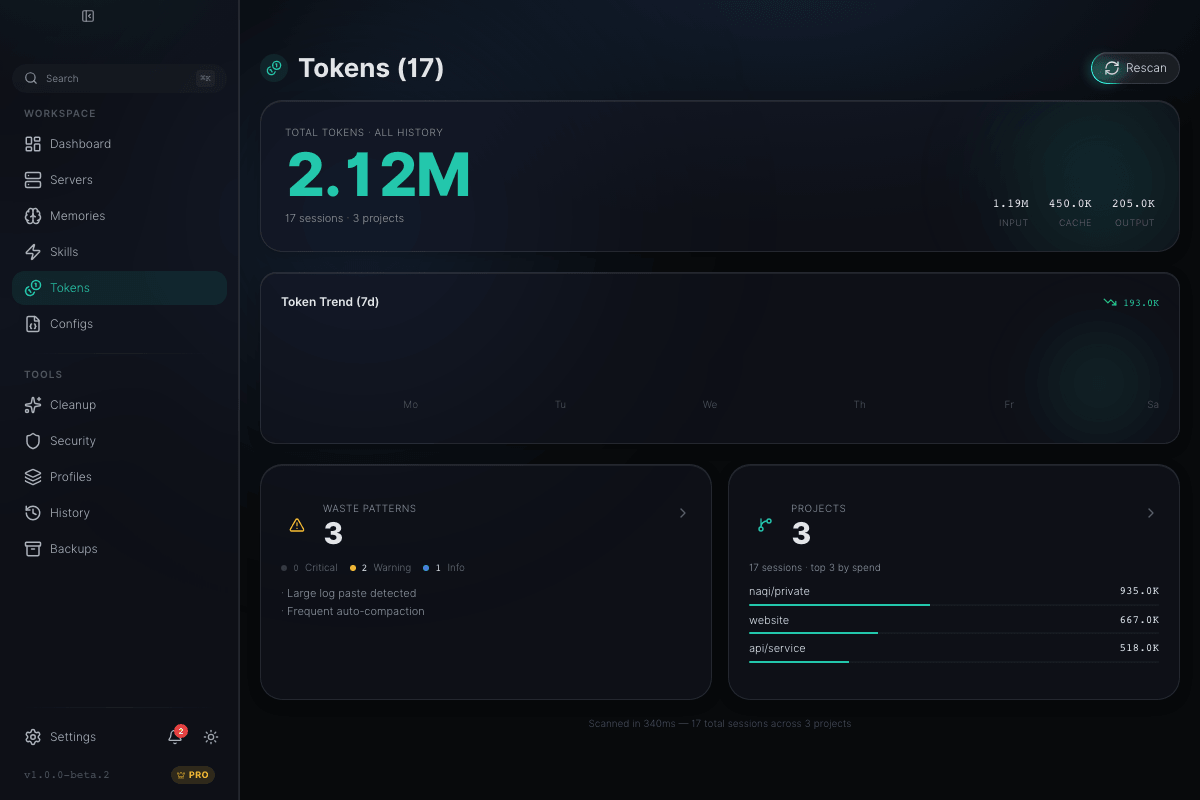
Catch token waste live. Before the bill arrives.
Nine waste-pattern detectors run on every Claude Code session — mega-session, dive-deep opener, log paste, subagent swarm, auto-compact waste, skill auto-load, and more. The live watcher polls every 60 seconds and alerts you the moment a session crosses 50 turns or 200M tokens. A weekly TokenDiet digest names the prompts, projects, and skills that cost you the most.
See every server. Know which ones are broken.
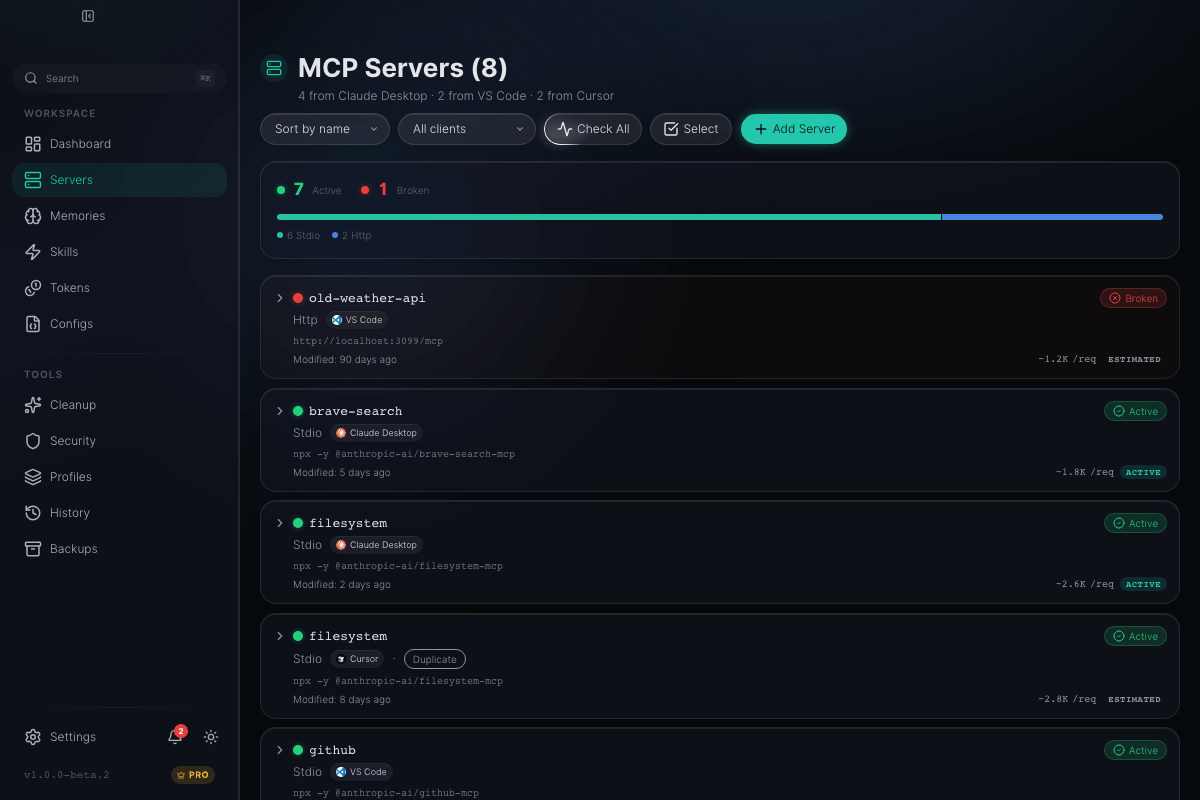
Every MCP server across every client, in one list. Status indicators show what's active, broken, or unknown. One-click health check pings them all.
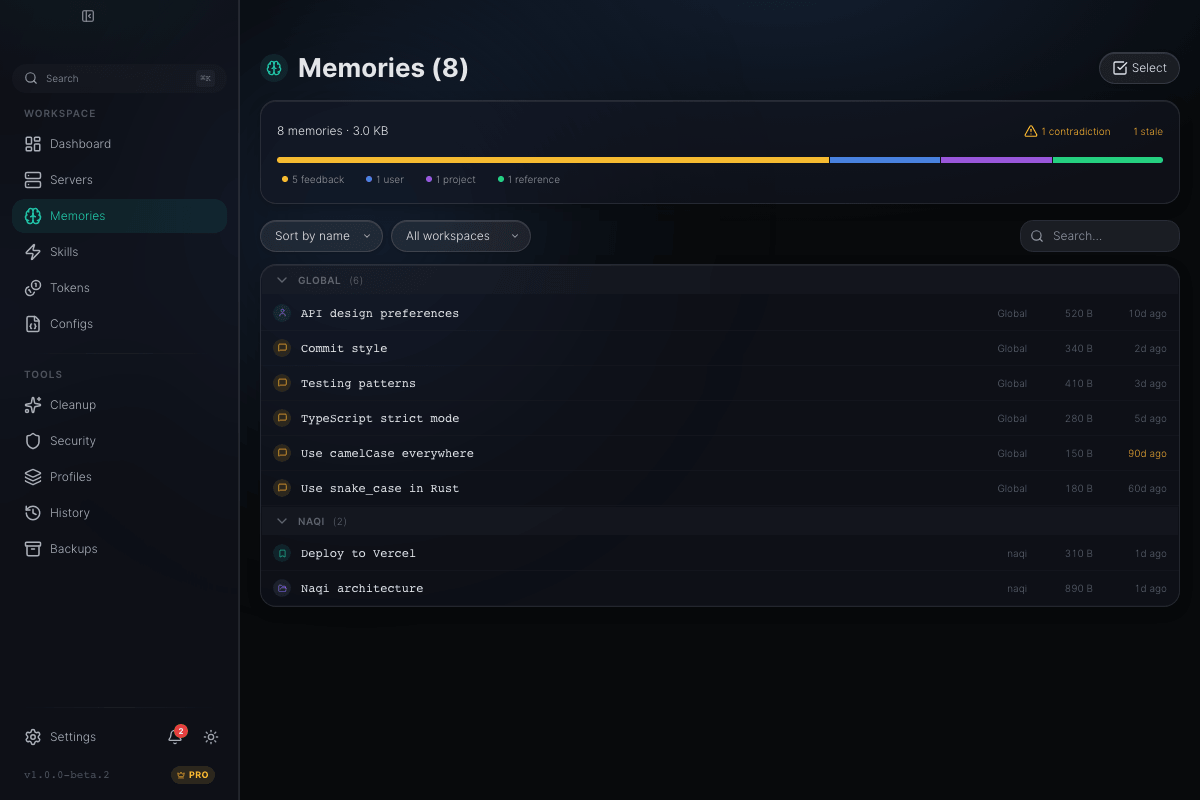
Your AI has 102 memories. Most are contradictions.
Naqi finds contradictory memories, near-duplicates, and redundant entries across all your Claude workspaces. Bulk selection lets you clean dozens at once.
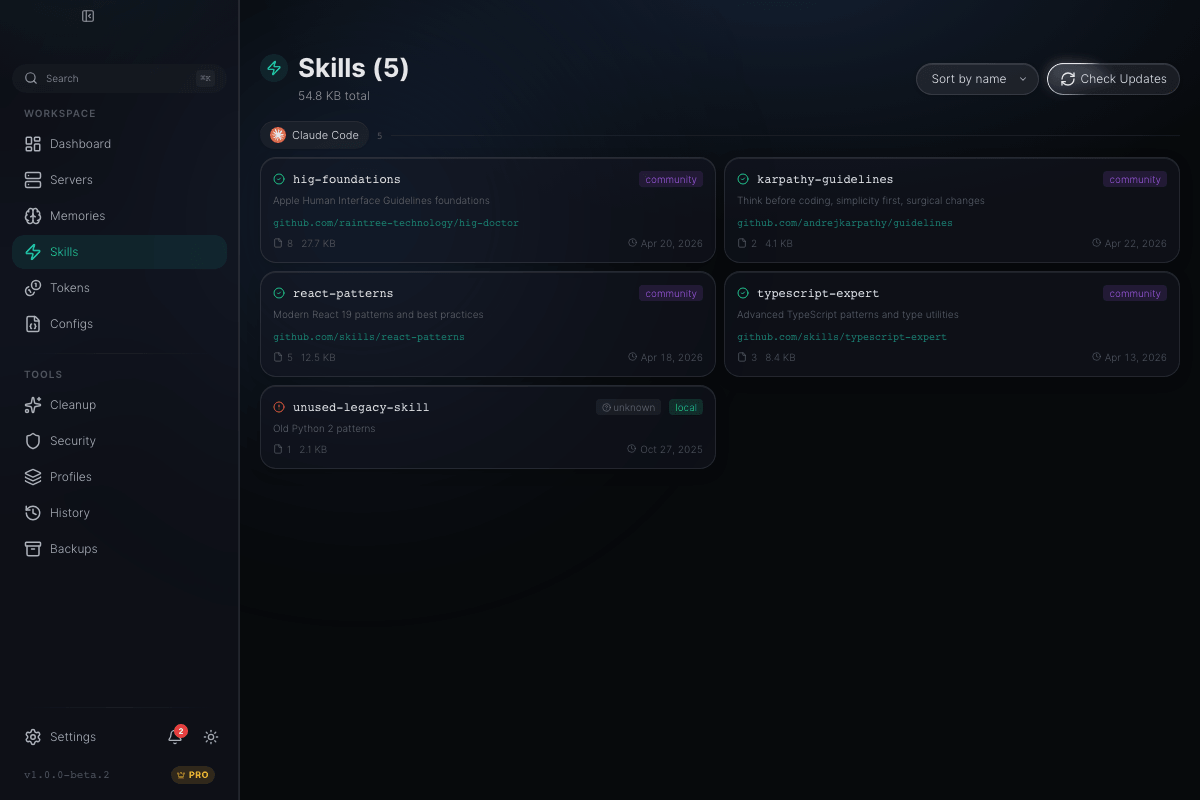
Track every installed skill and detect staleness.
Browse all skills across clients with enriched tiles showing description, source repo, last-modified date, and installed/updated timestamps. Detect stale skills that haven't been triggered in months.
Naqi exists because of these people.
Last March, GitHub issue anthropics/claude-code#38335 hit 647 comments in two weeks. Max plan users watching their quotas drain on trivial tasks, with no visibility into why. Naqi is the answer to that thread.
Read the thread →“I honestly feel I was scammed into upgrading, and now I'm getting screwed over twice as hard for doing it”
“Frustratingly, there's no way to compute your actual token consumption to know where the spike is happening!”
“I ended up building an MCP server that reads local session data and exposes cost tools.”
From chaos to clarity in 4 steps.
Download
Install Naqi (~10MB, no account needed). Drag to Applications.
Scan
Click Smart Scan. Naqi reads all 10 clients in under 3 seconds.
Review
See your health score, broken connections, contradictions, and recommendations.
Cleanup
Archive stale memories, disable unused servers, or upgrade to Pro for AI-powered batch cleanup.
Stop guessing. Start seeing.
Free to scan forever. Pro for live protection. 14-day refund.
macOS · Windows · Linux · ~10MB
Last updated: April 2026